At a glance
WhatsApp Communities bring together themed groups and announcements. Polls collect responses in chats. Choose the format based on the desired interaction, check roles and visibility, and specify what happens after a vote. Joining a group or casting a vote does not automatically grant permission for additional marketing messages.
Distinguish between ‘Community’, ‘Group’ and ‘Marketing List’
WhatsApp describes Communities as a link between thematic groups with joint announcements. A single group is suitable for a specific topic of discussion. A marketing list in a mailing tool, on the other hand, controls which individuals receive individual messages according to defined recipient rules. These functions serve different purposes and are managed in different ways.
You should therefore first ask whether members should be able to communicate with one another. For a series of workshops, such an exchange may be useful. A community does not automatically need to be established for a simple product announcement. Make a note of who should read, write and moderate. Ensure the invitation is clear: ‘Discussion on planning a hike’ sets a different expectation to ‘Information on new products’. The chosen interface should actually fulfil this purpose.
What role does the WhatsApp Business app play?
The WhatsApp Business app help explains that existing communities can be used, but that it is not currently possible to create a community there. You should therefore check the specific product and the available functions before formulating a set-up request. ‘App’, ‘community’ and ‘business platform’ are not interchangeable terms.
A community concept should also not assume implicit Klaviyo synchronisation. If individual marketing messages are planned for the future, this approach requires its own sign-up logic and clearly defined responsibilities. Do not simply transfer membership numbers into a campaign list. Agree within the team which information is maintained in which system and how a member’s resignation is handled. Otherwise, two separate interfaces may create conflicting expectations.
Planning a manageable community
Define the topic, roles and rules before sending out invitations. Who will answer questions? What content belongs in the group? How will product complaints be handled? A community with open discussion requires accessible moderation. Appoint a stand-in so that queries are not left unanswered in the event of holiday or illness. Start with a manageable focus rather than numerous empty sub-groups.
Check the current display of member data and the visibility of posts using two test accounts of your own. Provide new members with clear information about what other people can see. Do not promise an anonymous survey if votes or participants are visible in the format used. Personal matters such as order numbers and addresses should be dealt with via a suitable private service channel. This can be explained in the invitation and in a pinned guidance note.
How do you formulate a useful survey?
Start with a specific decision. The hiking equipment shop could ask: “Which topic will help you prepare for your next day’s hike?” The answer options are weather planning, packing list, adjusting your rucksack and another topic. This question fits with a later content selection. ‘What do you love?’ on the other hand provides hardly any useful basis for editorial work.
The WhatsApp guide to polls describes how to select multiple answers, among other features. Decide whether members should choose a favourite or several interests. Avoid overlapping options such as ‘equipment’ and ‘rucksack’ when both apply. Briefly explain when the editorial team will review responses and what it will publish afterwards. There is no need to claim that the poll ends automatically.
Categorise the answers correctly
Illustrative example: A group has 120 members; 36 are voting on the next topic. When asked to choose one option each, 18 mention the packing list, 10 mention weather planning and 8 mention packing the rucksack. This means that half of those voting prefer the packing list. This is an insight into these 36 people; it is not a representative statement about all shop customers or all 120 members.
Where multiple responses are permitted, relate percentage figures to the number of voters and explain the possibility of multiple votes. Otherwise, a result may appear to exceed one hundred per cent without there being a calculation error. Additionally, check whether a small active group is consistently providing the same answers. For important product range decisions, further feedback from customer service, orders or a suitably designed survey may be necessary.
Translate the result visibly into the next step
Following the evaluation, communicate what will result from the responses. The example shop could publish a day-hike packing list and explain which additional topics will be covered later. Refer to a suitable, publicly accessible page. Those who voted should recognise that the question served a genuine purpose and was not merely a time-waster.
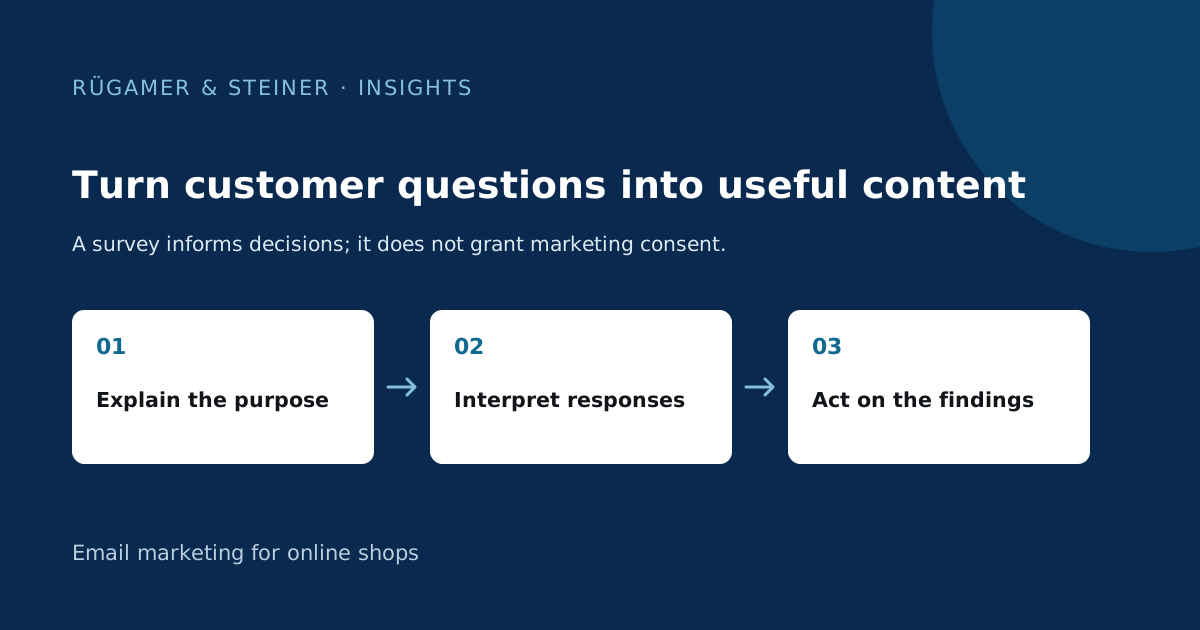
If you plan to use a stated interest for personalised product messages in future, invite people to opt into that separate process voluntarily. Align the explanation with the Klaviyo documentation on WhatsApp consent. Answering a topic-related question does not replace verified marketing consent. Let members take part in editorial discussions without requiring them to accept extra advertising. This keeps the community benefit and the mailing purpose clear.
What should be included in a small practical test?
- ‘Invitation’, ‘group name’ and ‘welcome’ all describe the same purpose.
- The designated roles can write exactly the expected content.
- Members recognise the actual visibility of data and votes.
- Single or multiple selection depends on the specific decision.
- Provide a clear way to leave the community or raise a service enquiry privately.
- The result will be published with attribution, limitations and follow-up content.
Assess the editorial value and the support required together at a later date. A large number of voices alone does not make a community successful. A smaller group whose questions are answered and whose contributions help inform a specific decision may be more valuable for your purposes than a large, largely unsupported collection of members.
Sources and further documentation
Product documentation and primary sources relating to the steps described. Editorial source date: 5 October 2026.