At a glance
Here, bulk sending means a marketing campaign sent to many eligible recipients. A permitted and relevant audience matters more than the file size. Gmail sets additional requirements for bulk senders. New sending infrastructure needs an appropriate introduction process. Monitor volumes, provider responses, complaints and load on the online store; technical acceptance does not guarantee delivery.
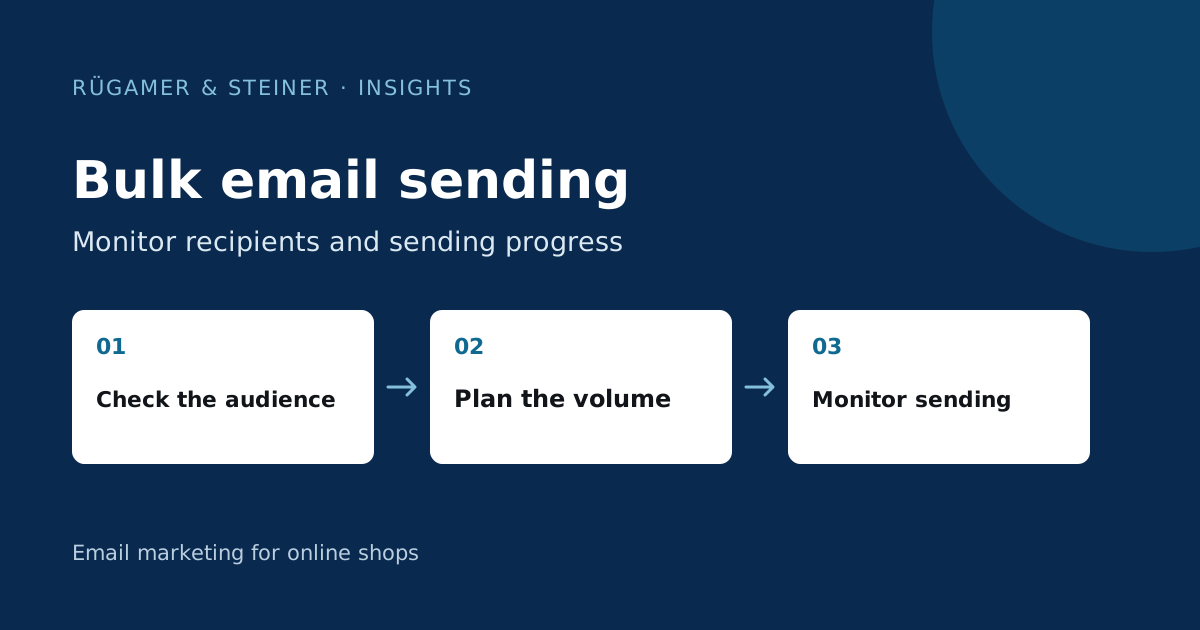
Count the actual target audience first
Distinguish between existing profiles, subscribed contacts and the individuals who are permitted and intended to receive this specific message. A list import does not constitute retrospective proof of consent. Check the origin, unsubscribes, suppression lists, duplicate records and the reason for the campaign. A past buyer may still be unsuitable for a current promotional email. The Data Protection Guide describes the verification of prerequisites.
Example of a custom plan: An export file contains 80,000 profiles, of which only 24,000 are eligible for the current campaign according to the verified rules. Base your planning on the second figure. Document which exclusions account for the difference. Neither a purchased address list nor sending via another tool will resolve the issue of missing authorisation. Also specify which person will approve the final number of recipients.
Check Gmail requirements for large senders
Google’s Sender guidelines refer to personal Gmail accounts. For bulk senders, requirements include SPF, DKIM and DMARC, appropriate domain alignment, as well as a technical one-click unsubscribe method and a visible unsubscribe link in marketing messages. This is a requirement for the email actually delivered and its headers. A nice-looking footer alone does not constitute the technical unsubscribe method.
The classification applies to approximately 5,000 or more messages sent daily to personal Gmail addresses; please check the current Gmail FAQ for the treatment of subdomains and permanent classification too. Splitting across subdomains is not a valid workaround. The threshold is not a recommendation to send below it without checking. Smaller audiences still need a clear sender identity, suitable recipients and managed unsubscribes.
Introduce new infrastructure using the appropriate procedure
After switching providers or sending the first marketing emails through new dedicated infrastructure, mailbox providers need to establish a sending history. Klaviyo’s Warm-up guide distinguishes different starting points. Import reliable historical engagement, begin with a suitable active audience and expand according to the results you observe. A previous large send with another provider does not validate the new infrastructure.
Do not apply a rigid daily list to every shop. New brands, existing domain changes and dormant distribution lists have different requirements. Use up-to-date account notes and clarify which process applies. A newly created sender does not reactivate an old, inactive list. The DNS Guide explains why account-dependent entries must be thoroughly checked.
Plan volume and shop load carefully
Sending in partial batches can limit peak loads and make monitoring easier. Establish a suitable sequence, a person in charge and criteria for termination. Different groups may have different starting points; do not treat an initial active group as indicative of the entire mailing list. Check in advance the dispatch options available in the current account and the expected duration.
Also take the landing page into account: concurrent visits, voucher validation, the shopping basket and the payment process must be able to cope with the expected volume of traffic. Controlled sending is of little use if the advertised product runs out after a few minutes or the checkout fails. Coordinate stock, service and technical resources with the campaign plan. Pause in the event of significant issues before releasing the next batch.
Monitor during dispatch by provider and cause
Track deliveries, temporary holds, permanent bounces, complaints and unsubscribes. Group notable responses by email provider. A simultaneous drop in responses from one provider requires a different investigation to a mislinked button affecting all recipients. Note the actual error code and the time of occurrence. Resending a campaign to all affected recipients may exacerbate the problem.
Google’s guidelines require spam rates to be below 0.3 per cent and recommend significantly lower figures. Do not treat a threshold as a target that can be expanded at will. Take into account the historical data and the figures available in Postmaster. Open rates with an MPP component alone are not a sufficient signal for progression to the next stage. Also check actual clicks, purchases and complaints in the context of the specific occasion.
What must be in place before the first major mailing
- Recipient numbers and exclusion rules are justified and verified.
- Test emails demonstrate appropriate authentication and a functioning unsubscribe function.
- The sending infrastructure has followed the required onboarding process.
- Delivery options, monitoring and cancellation responsibility are specified.
- Links, offers, stock levels and mobile checkout have been checked.
- Provider errors and complaints can be assessed promptly.
You should then assess the impact using the same recipient and measurement definitions. More messages delivered can increase revenue whilst simultaneously reducing the contribution per recipient. The next step is determined by quality and the observed trend, not by aiming for the highest possible number in the sending interface.
Sources and further documentation
Product documentation and primary sources relating to the steps described. Editorial source date: 5 October 2026.