At a glance
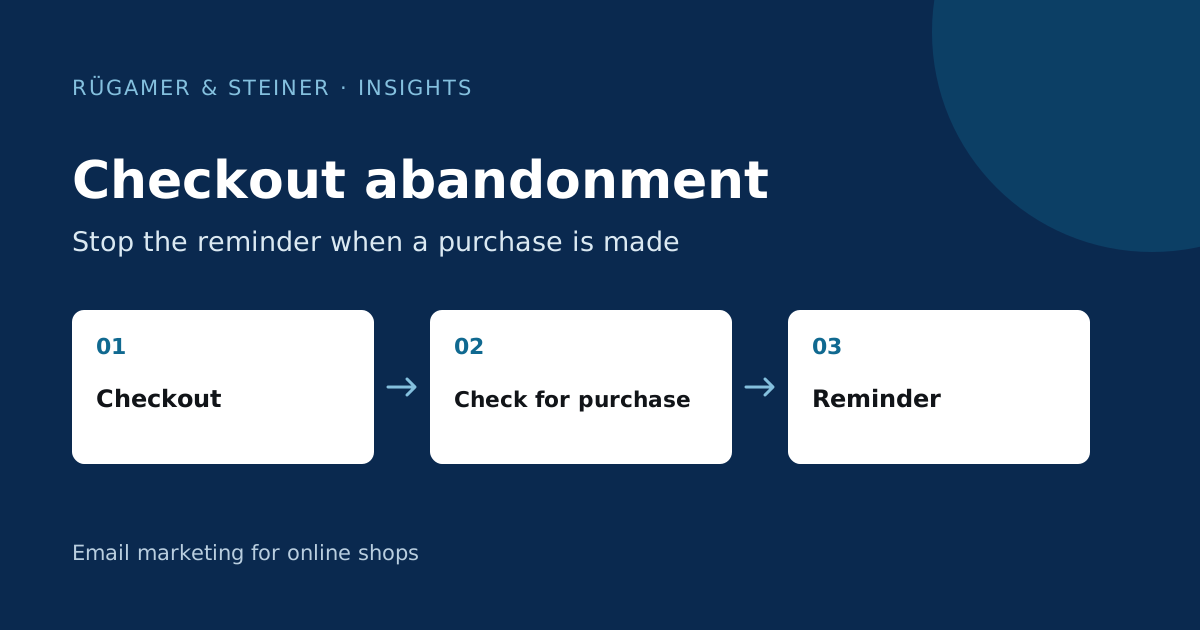
An abandoned checkout flow begins with a checkout that has been started and requires up-to-date order data. Check for purchase exclusions before sending subsequent messages, coordinate other reminder sequences, and test both an abandoned checkout and a timely purchase. A dynamic shopping basket can only be reliably tested after a genuine test link has been provided.
Distinguish between ‘checkout abandonment’ and ‘shopping basket abandonment’
A product added to the basket, a checkout process started and an order are different events. The Klaviyo Guide to the Abandoned Cart Workflow explains the flow based on checkout events. Check the actual metric name and integration in your own account. A similarly named metric selected in the flow editor may originate from an old or additionally integrated data source.
A sequence of events helps with planning: product added to basket, checkout started, order placed. The available data determines which stage can be reliably tracked. An abandoned checkout is not automatic proof of an intention to purchase. A customer may be checking delivery charges, comparing delivery dates or intending to place an order later on a different device. The content should address these open questions without ignoring a purchase that has already been completed.
Check the necessary details on the profile
Open a separate test profile and check the checkout entry: product name, variant, quantity, image and return link must be plausible. Compare the timestamp and basket value with those in the shop. The test should include more than one item so that errors in the repetition of product blocks are noticeable. Additionally, check a variant with special characters or a long description.
For Shopify, Klaviyo describes in the Overview of synchronised data when the relevant events are transferred. Do not apply the logic to another ecommerce platform without first checking it. If the order event is missing or arrives too late, even a flow with good content may be sent incorrectly. Therefore, resolve the data gap before expanding the email series.
Recheck purchase exclusions before dispatch
The key rule is: anyone who has placed an order since the start of this flow should not receive any further abandoned cart reminders for this run. Please check that this condition is set up as a suitable profile filter and applies to upcoming messages. A one-off branch at the start is not sufficient for subsequent orders. A customer might place their order after the initial delay.
A sample scenario: The checkout process starts at 10 am, the first email is scheduled for 2 pm, and the order is placed at 11 am. The expected outcome is not dispatch at 2 pm. If the email is still scheduled, compare the time of the order event with its arrival in Klaviyo. Also test checkouts that have been restarted; multiple runs must not result in a confusing sequence of identical reminders.
The email makes the next step easier
Display the items actually selected and a clear ‘Back’ button. Include information relevant to the product range: size guide, payment methods, delivery terms or accessible customer support. Limit the email to the current context. A general product catalogue distracts from the shopping basket that the recipient has already compiled.
Avoid making false statements about reserved products or artificially created scarcity. A checkout link does not guarantee that stock levels and prices will remain unchanged. If the shopping basket contains an item that has since sold out, the landing page must respond appropriately. You should therefore deliberately check for an out-of-date shopping basket. A discount should only be included once the conditions, margins and desired effect have been clarified; it is not a technical prerequisite for the reminder.
Plan timing and other flows together
Select an initial deviation from your shop’s usual behaviour and treat it as a test scenario. A quick checkout for a simple consumer product differs from a purchase requiring extensive advice. Check how long successful purchases typically take from the start of the checkout process. An email sent too early may appear whilst the purchase process is still ongoing.
Also list reminders from the shop and other tools. Two active checkout flows may send duplicate messages to the same customer. A browse flow should not simultaneously promote the older product view after checkout. Document the priority in writing: current order, current checkout, previous product view. Frequency rules supplement this order; they do not replace appropriate purchase and checkout exclusions.
Carry out a full acceptance test
- Start a checkout with a new test profile and exit without placing an order.
- Repeat the same process with a second address and place your order before the waiting period begins.
- Arrange for a third address to be added after the first email.
- Test a shopping basket containing several products as well as a sold-out item.
- Open return links on mobile and desktop, and compare the selected variant.
- Check unsubscribes and any other active reminder flows.
Document both the expected dispatch status and the status actually observed. The most important test may be a missed email. Classify this outcome as successful if the person has made a purchase in the meantime. High dispatch figures are not a measure of quality here; correctly excluded buyers are part of a functioning flow.
What do the results show after launch?
Consider delivered messages, unique return clicks, associated orders, unsubscribes and complaints. Compare similar time periods using consistent criteria. If the number of checkouts initiated increases, the flow may show higher revenue, even though the impact per recipient remains unchanged. Changes to price, availability or discounts also influence the comparison.
Analyse profiles showing unusual behaviour individually before changing global rules. An abandoned basket email that was not delivered, an invalid link and an email skipped after a purchase can have various causes. Create a reproducible scenario for each error. Then correct the relevant data path or filter and repeat exactly this scenario.
Example of a newsletter from our work

Sources and further documentation
Product documentation and primary sources relating to the steps described. Editorial source date: 5 October 2026.